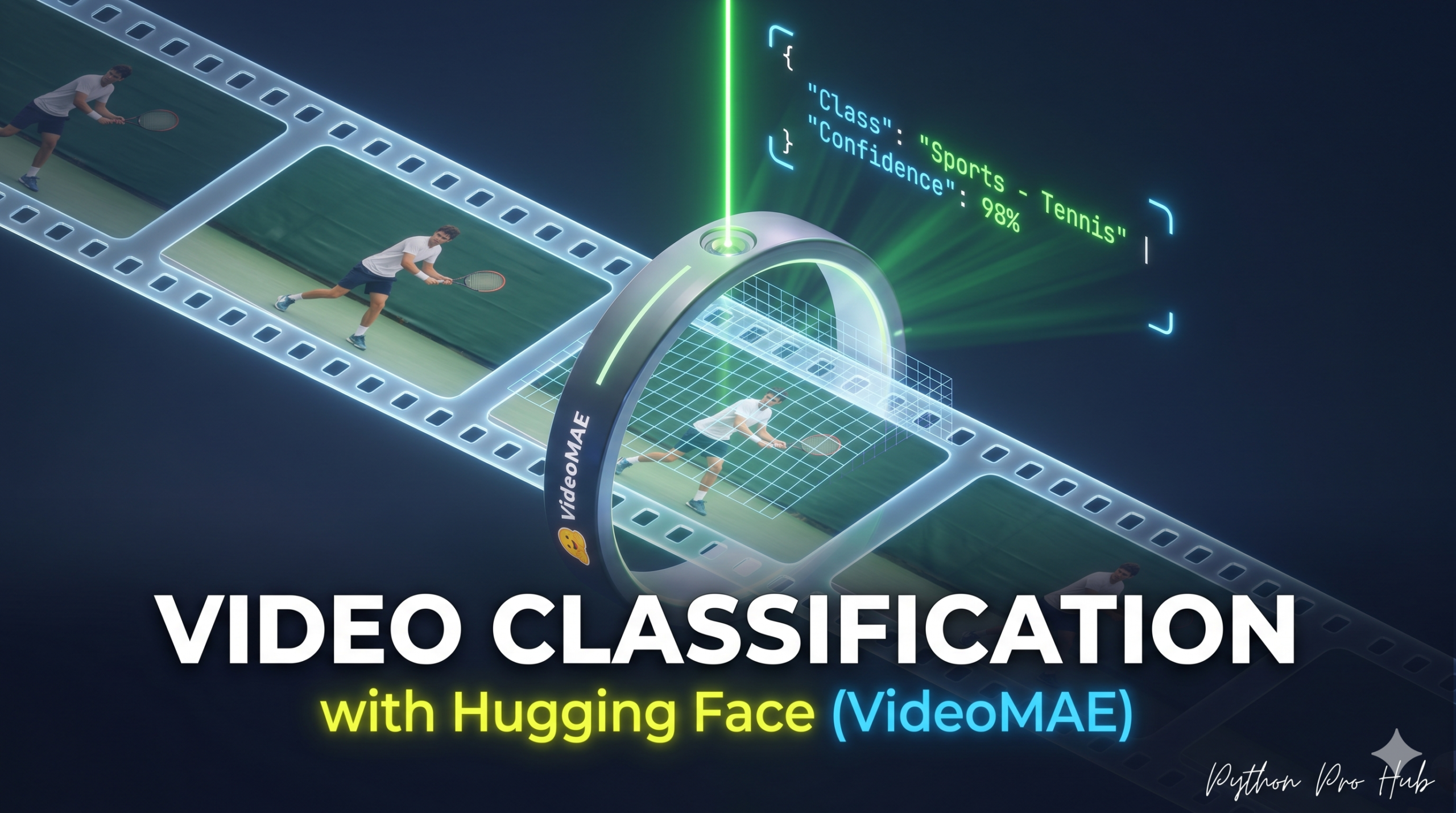
We’ve classified text, audio, and images. Now, let’s classify Video. In this article, we’ll explore Hugging Face Video Classification and how it can be applied to your own projects.
Video Classification helps AI understand actions. Is the person in the video running, swimming, or eating? We will use VideoMAE, a powerful transformer model trained on millions of videos.
⚡ Quick Fix: Video Classification with VideoMAE and Hugging Face
The video-classification pipeline with MCG-NJU/videomae-base-finetuned-kinetics samples frames from a video URL, runs them through VideoMAE, and returns ranked action labels with confidence scores — no manual frame extraction needed.
from transformers import pipeline

classifier = pipeline(
    "video-classification",
    model="MCG-NJU/videomae-base-finetuned-kinetics"
)

results = classifier("https://your-video-url.avi")
for r in results:
    print(f"{r['label']}: {r['score']:.4f}")
The full walkthrough below covers installation, pipeline setup, and real-world use cases for action recognition.
Step 1: Installation
You need av (PyAV) to handle video processing.
pip install transformers torch av
Step 2: The Code
We’ll use the video-classification pipeline. We’ll point it to a sample video URL.
from transformers import pipeline

# 1. Load the pipeline
# We'll use a model fine-tuned on the Kinetics-400 dataset (actions)
classifier = pipeline(
    "video-classification",
    model="MCG-NJU/videomae-base-finetuned-kinetics"
)

# 2. The Video URL
# (A short clip of someone playing basketball)
video_url = "https://huggingface.co/datasets/huggingface/documentation-images/resolve/main/transformers/tasks/basketball.avi"

# 3. Run the classifier!
# The model will download, sample frames from the video, and predict the action.
print("Analyzing video...")
results = classifier(video_url)

# 4. Print the results
print("\n--- Action Detected ---")
for result in results:
    print(f"Action: {result['label']} | Score: {result['score']:.4f}")
Step 3: The Result
The output will look like this:
--- Action Detected ---
Action: playing basketball | Score: 0.9285
Action: shooting basketball | Score: 0.0312
Action: dribbling basketball | Score: 0.0185
You can use this to build automated content moderation, sports analysis tools, or smart security camera systems.
1. Automated Content Moderation
Upload user-submitted video to a processing queue. Run the classifier on each clip. Map predicted labels to a blocklist — anything matching fighting, shooting, smoking, drinking beer from Kinetics-400 gets flagged and routed to human review. Confidence threshold matters here: flag at score > 0.7, auto-reject at score > 0.95.
BLOCKED_ACTIONS = {"fighting", "punching", "shooting"}

results = classifier(video_url)
top = results[0]
if top["label"] in BLOCKED_ACTIONS and top["score"] > 0.70:
    print(f"FLAGGED: {top['label']} ({top['score']:.2f})")
2. Sports Analysis Tool
Run the classifier on short sliding-window clips (e.g. 3-second segments) across a full match recording. Aggregate labels over time to build an action timeline — “dribbling basketball” at 00:02:14, “dunking basketball” at 00:04:51. Export as JSON for a highlight reel generator or coaching dashboard.
import av

def extract_clips(video_path, segment_seconds=3):
    # Use PyAV to cut the video into segments
    # Feed each segment to classifier
    pass
3. Smart Security Camera
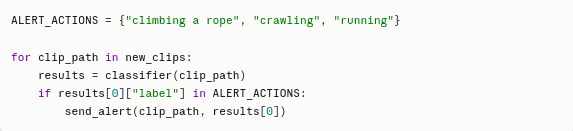
Point the pipeline at saved clips from a camera feed (most systems save motion-triggered MP4s). Classify each clip. Alert on labels like breaking, climbing, running in restricted zones. Pipe alerts to Slack or email via webhook.
Hugging Face Video Classification Turns Raw Footage into Action Labels in Seconds
VideoMAE samples a fixed number of frames across the video’s full duration before running inference — a 2-second clip and a 30-second clip feed the same number of frames into the model, so prediction speed stays constant regardless of video length. The Kinetics-400 fine-tune covers 400 human action classes, which handles most content moderation and sports analysis needs out of the box. For domain-specific actions outside that label set — surgical procedures, manufacturing defects, custom gesture controls — fine-tune on your own labeled clips using Trainer with VideoMAEForVideoClassification as the base. In production, run the pipeline on GPU with device=0 passed to pipeline(); CPU inference on video is viable for single clips but won’t scale to a real-time feed.
Key Takeaways
- Hugging Face Video Classification enables AI to understand actions in videos like running or swimming using the VideoMAE model.
- The classification pipeline requires installation of PyAV for video processing and uses a sample video URL.
- Potential applications include automated content moderation, sports analysis tools, and smart security cameras.
- The VideoMAE model maintains prediction speed regardless of video length, covering 400 human action classes for effective action recognition.
- For specific actions, users can fine-tune VideoMAE on their own labelled clips and run the pipeline on GPU for better performance.