
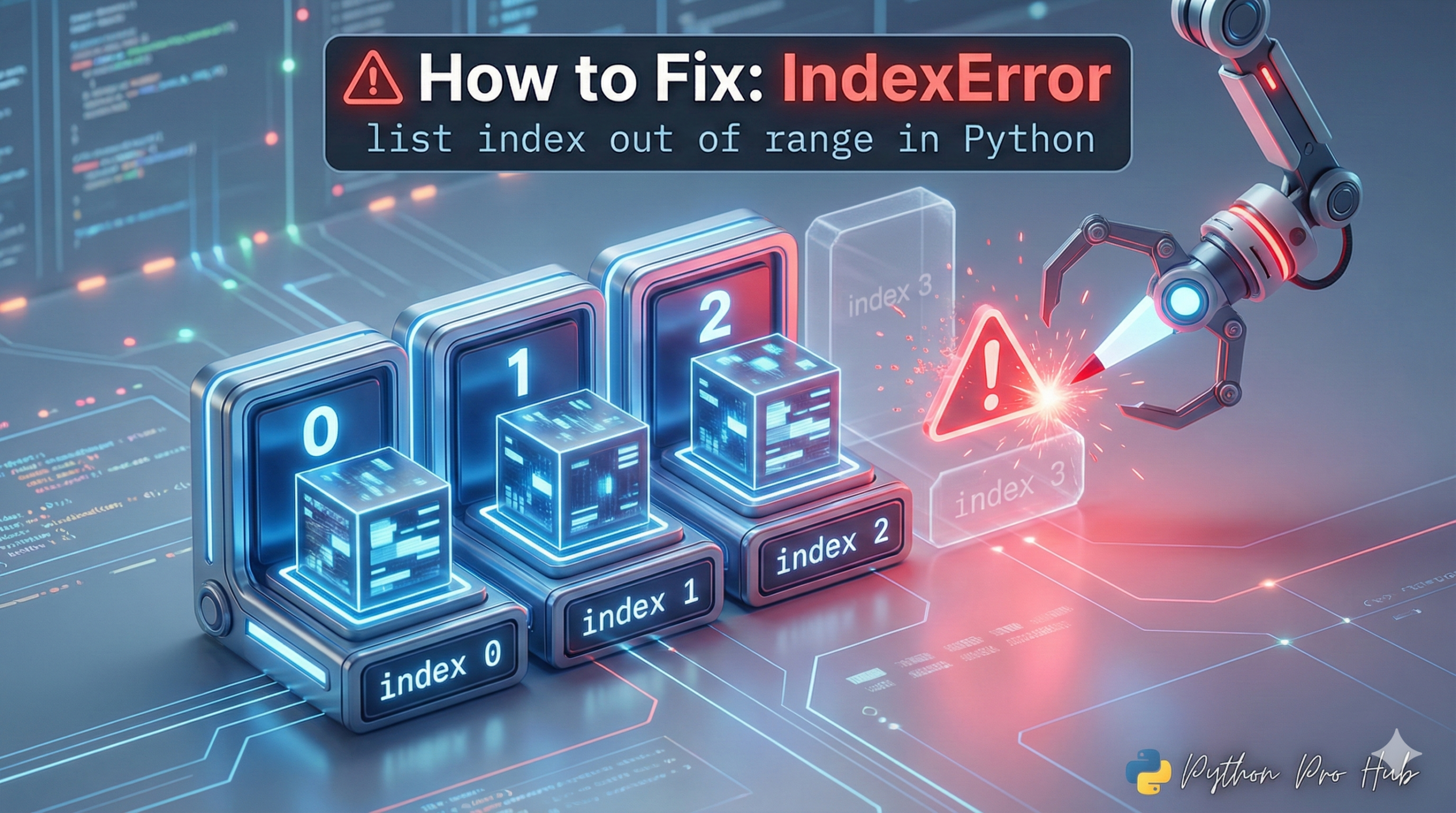
If you’re working with Python lists, you will likely encounter the “IndexError: list index out of range” error. It’s practically a rite of passage. This IndexError occurs when your code tries to access a list at an index that doesn’t exist. But the good news is, it’s very simple to understand and fix.
⚡ Quick Fix: IndexError: list index out of range — Python List Index Fix with range() and Negative Indexing
You hit this error because you’re accessing a list position that doesn’t exist — Python’s index starts at 0, not 1.
my_list[-1]  # last item — always safe
my_list[len(my_list) - 1]  # explicit last index
Now let’s break down the three exact scenarios causing this in your code and how to kill each one permanently.
What Does IndexError: list index out of range Mean?
In plain English, this error means:
“You are trying to access an item in a list using an index (position) that does not exist.” An IndexError: list index out of range typically happens when you forget that Python lists start at index 0.
Remember that Python lists are 0-indexed. This means the first item is at index 0, the second is at index 1, and so on.
Let’s look at this list:
my_list = ["apple", "banana", "cherry"]
my_list[0]is “apple”my_list[1]is “banana”my_list[2]is “cherry”
The length of the list is 3, but the last valid index is 2. Trying to access an index beyond this will result in an IndexError: list index out of range.
If you try to access my_list[3], Python will raise an IndexError because there is no item at index 3.
3 Common Causes and Their Fixes
Let’s diagnose the most common reasons you’ll see this error and how to fix them.
Cause 1: The “Off-by-One” Error in a for loop
This is the most common cause. You are looping using a range that is one-too-many, leading to an IndexError: list index out of range.
Problem Code:
my_list = ["apple", "banana", "cherry"]
list_length = len(my_list)  # This is 3

# This loops with i as 0, 1, 2, AND 3
for i in range(list_length + 1):
  print(my_list[i])  # This will FAIL when i becomes 3
The Fix: Never use range(len(my_list) + 1). The range(len(my_list)) function already gives you the correct indices: 0, 1, 2.
Correct Code (Option 1 – Using range):
my_list = ["apple", "banana", "cherry"]
list_length = len(my_list)  # This is 3

# range(3) gives 0, 1, 2. This is correct!
for i in range(list_length):
  print(my_list[i])
Correct Code (Option 2 – The “Pythonic” Way): A much cleaner way to loop is to iterate over the items directly, without worrying about indices at all.
my_list = ["apple", "banana", "cherry"]

for item in my_list:
  print(item)
Cause 2: Accessing an Item in an Empty List
If you try to access any index on a list that is empty, it will fail and result in an IndexError: list index out of range.
Problem Code:
user_cart = []  # The list is empty

# You try to get the "first item"
print(user_cart[0])
The Fix: Always check if a list is not empty before you try to access an item from it. An empty list evaluates to False in an if statement.
Correct Code:
user_cart = []

if user_cart:  # This is the same as "if len(user_cart) > 0"
  print(f"Your first item is: {user_cart[0]}")
else:
  print("Your cart is empty.")
Cause 3: Using the Wrong Length (e.g., len vs. len - 1)
This often happens when you’re trying to get the last item in a list, causing an IndexError: list index out of range if done incorrectly.
Problem Code:
my_list = ["apple", "banana", "cherry"]
list_length = len(my_list)  # list_length is 3

# You try to get the item at index 3
last_item = my_list[list_length]  # This fails
The Fix: The last item is always at index len(my_list) - 1. However, Python gives you a much better way: negative indexing.
my_list[-1] always refers to the last item, my_list[-2] to the second-to-last, and so on.
Correct Code:
my_list = ["apple", "banana", "cherry"]

# Get the last item
last_item = my_list[-1]

print(last_item)  # Output: cherry
This is safer and more readable.
What You Now Know About IndexError: list index out of range in Python
Python’s IndexError: list index out of range is one of those errors that looks scary the first time and becomes obvious the tenth. At its core, it always means the same thing: you asked for a position that doesn’t exist in the list.
You now have three reliable tools to prevent it. Use range(len(my_list)) — not range(len(my_list) + 1) — when looping with indices. Guard empty lists with a simple if my_list: check before accessing any element. And reach for my_list[-1] whenever you need the last item, because negative indexing is both safer and cleaner than calculating len minus one.
The real shift happens when you stop thinking about list length and start thinking about valid index boundaries. A list with 5 items has valid indices 0 through 4 — that mental model alone will prevent 80% of these errors before they happen.
If you’re seeing this error inside a loop or a function that processes user input, the empty list check is almost always your fix. If it’s happening when you’re accessing a specific position, negative indexing or a bounds check will solve it.
Keep this page bookmarked — and when you’re ready to go deeper, the guide on Python for loops and while loops shows you the exact patterns that make index-based iteration unnecessary in most real-world Python code.





![3D isometric cyber-tech graphic comparing the FileNotFoundError [Errno 2] "The Problem" with "The Fix" using pathlib in Python.](https://pythonprohub.com/wp-content/uploads/2026/10/Fix-Python-FileNotFoundError-Pathlib-768x429.jpeg)