In Python, you have many ways to store collections of data, such as using lists, tuples, and dictionaries. When considering Python Lists vs. Tuples vs. Dictionaries, understanding the differences between them can be crucial for optimising your code. This is a step up from our Variables & Data Types guide.
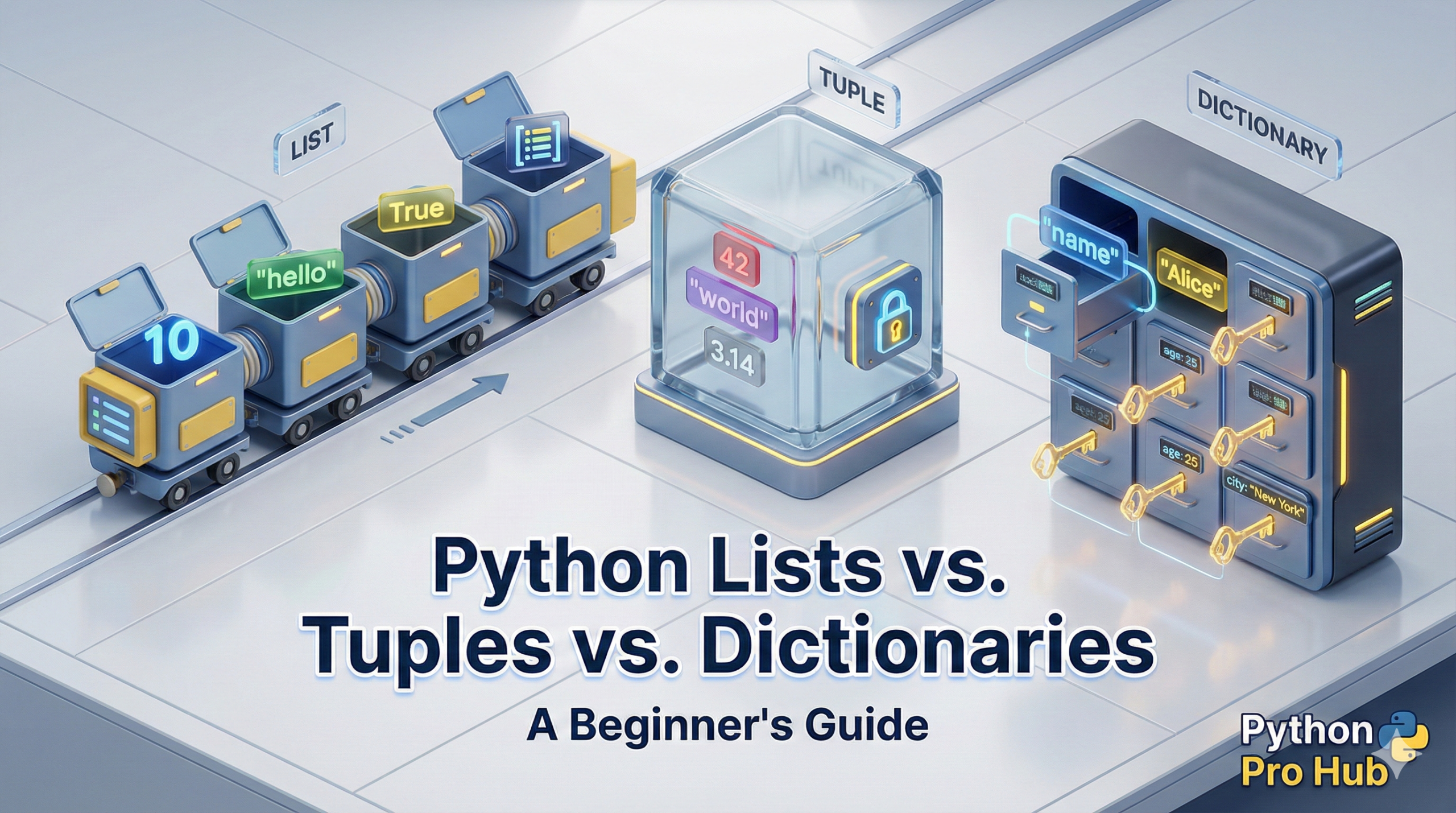
The three most common and important data structures are Lists, Tuples, and Dictionaries, each serving different purposes in the context of Python lists vs. tuples vs. dictionaries.
Choosing the right one is like choosing the right tool for a job. You could use a hammer for a screw, but a screwdriver is much better. This guide will make you the screwdriver expert.
Part 1: Python Lists []
A list is the most common and flexible collection. You create it with square brackets []. Understanding their role in the debate of Python lists vs. other structures will aid your coding efficiency.
# A list of integers
primes = [2, 3, 5, 7, 11]

# A list of mixed data types
my_list = ["apple", 1.99, True]
Key Properties:
- Mutable (Changeable): This is the most important feature. You can add, remove, and change items after the list is created.
- Ordered: The items stay in the exact order you put them in.
- Indexed: You access items using a number index (starting from
0).
Code Examples:
# Access by index
print(primes[0])  # Output: 2

# Change an item
primes[1] = "three"
print(primes)  # Output: [2, 'three', 5, 7, 11]

# Add an item to the end
primes.append(13)
print(primes)  # Output: [2, 'three', 5, 7, 11, 13]

# Remove an item
primes.remove(5)
print(primes)  # Output: [2, 'three', 7, 11, 13]
When to use a List: Use a list 90% of the time. Use it whenever you need a general-purpose collection of items that you know you will need to change (like a to-do list, a list of users, or scores in a game).
Part 2: Python Tuples ()
A tuple is best described as a read-only list. You create it with parentheses (). They play a crucial role when considering Python lists vs. tuples due to their immutable nature.
# A tuple of RGB color values
red_color = (255, 0, 0)

# A tuple of coordinates
point_in_space = (10, 20, 30)
Key Properties:
- Immutable (Not Changeable): This is its defining feature. Once you create a tuple, you cannot add, remove, or change its items.
- Ordered: Just like a list, items stay in order.
- Indexed: Just like a list, you access items with
[0],[1], etc.
Code Examples:
# Access by index
print(red_color[0])  # Output: 255

# Try to change an item (THIS WILL CAUSE AN ERROR)
red_color[0] = 200

# TypeError: 'tuple' object does not support item assignment
When to use a Tuple: Use a tuple when you have data that should never change. It’s a way to protect your data from being accidentally modified. It’s perfect for things like coordinates, RGB values, or settings that must stay constant.
Part 3: Python Dictionaries {}
A dictionary is completely different. It doesn’t store items by order; it stores them as key: value pairs. It’s a lookup table, created with curly braces {}. The uniqueness in Python dictionaries vs. the other structures lies in this key-value storage.
# A dictionary representing a user
user = {
  "username": "pythonpro",
  "level": 15,
  "is_admin": False
}
Key Properties:
- Mutable (Changeable): You can add, remove, and change key-value pairs.
- Keyed (Not Indexed): You access values by their unique
key(a string), not a number index. - Ordered (in modern Python 3.7+): They remember the order you added items, but you should primarily focus on the key-value relationship.
Code Examples:
# Access a value by its key
print(user["username"])  # Output: pythonpro

# Change a value
user["level"] = 16
print(user)  # Output: {'username': 'pythonpro', 'level': 16, 'is_admin': False}

# Add a new key-value pair
user["last_login"] = "2025-11-05"
print(user)
# Output:
# {'username': 'pythonpro', 'level': 16, 'is_admin': False, 'last_login': '2025-11-05'}
When to use a Dictionary: Use a dictionary any time you need to store related pieces of information and look them up by a name. It’s perfect for user profiles, JSON data from an API, or any time you have a “label” (the key) and a “value” for it.
At-a-Glance Comparison
Here is a simple table to help you decide when considering Python lists vs. tuples vs. dictionaries.
| Feature | List [] | Tuple () | Dictionary {} |
| Mutable? | Yes (Changeable) | No (Immutable) | Yes (Changeable) |
| How to Access? | Number Index ([0]) | Number Index ([0]) | Key (["name"]) |
| Ordered? | Yes | Yes | Yes (in Python 3.7+) |
| Best For… | General collections | Protected, constant data | Lookup tables (key-value) |
| Syntax | [1, 2, 3] | (1, 2, 3) | {"a": 1, "b": 2} |
Conclusion
It’s simple:
- Need a standard collection of items that you will modify? Use a List.
- Need to store data that must never, ever be changed? Use a Tuple.
- Need to store data that you can look up by a name or label? Use a Dictionary.
You are now well on your way to mastering Python’s foundations. The next logical step is to learn how to bundle your code into reusable blocks called Python Functions.