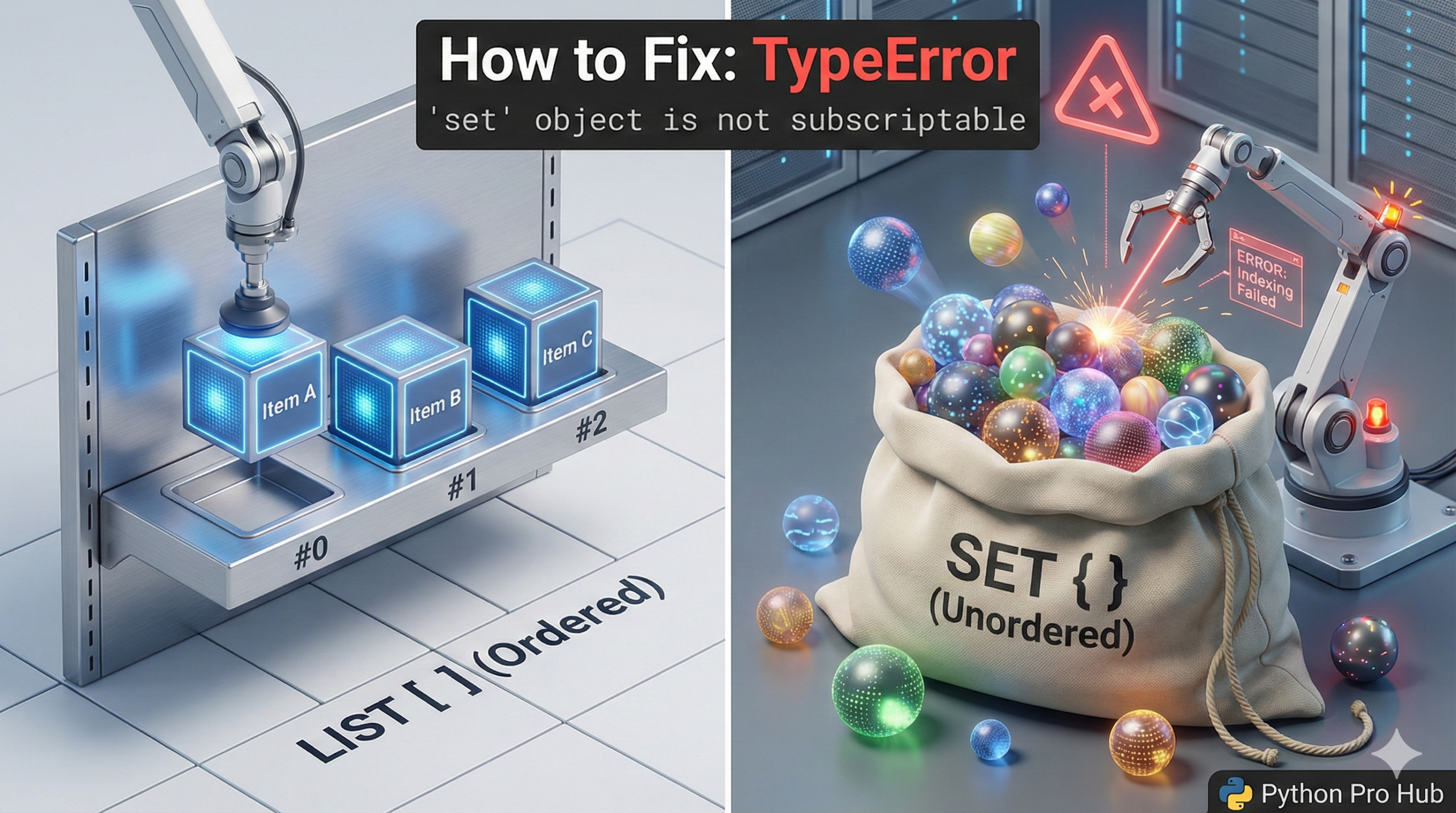
This error is very similar to the dict_keys error. It means you tried to use square brackets [] to get an item from a set. In Python, when you see the TypeError set not subscriptable, it tells you that sets cannot be accessed by indexing.
⚡ Quick Fix: TypeError: ‘set’ object is not subscriptable — Python list() Conversion Fix and in Membership Check for Unordered Set Access
You used [] on a set — sets store unique items with no defined order, so index 0 means nothing and Python blocks bracket access entirely.
# WRONG — sets have no index, [] crashes immediately
my_set = {10, 20, 30}
first_item = my_set[0]        # TypeError: 'set' object is not subscriptable

# WRONG — accidental set from a single-item dict literal
my_data = {10}                # this is a set, not a dict — no key-value pair
print(my_data[0])             # TypeError fires here

# RIGHT — check membership: this is what sets are built for
if 10 in my_set:
    print("10 is in the set") # O(1) lookup — faster than any list search

# RIGHT — convert to list when you need index access (order not guaranteed)
my_list = list(my_set)
print(my_list[0])             # works — but order depends on Python's hash table

# RIGHT — use sorted() when you need index access AND predictable order
sorted_list = sorted(my_set)
print(sorted_list[0])         # Output: 10 — smallest item first, always consistent
The breakdown below explains why sets have no index, and which fix matches your actual use case.
The Cause of TypeError set not subscriptable
A List is ordered. You can ask for my_list[0] (the first item). A set is unordered. It’s like a bag of unique items. You can’t ask for “the first item” because there is no “first.”
Problem Code:
my_set = {10, 20, 30}

# What is the "first" item? Python doesn't know.
first_item = my_set[0]
# CRASH! TypeError: 'set' object is not subscriptable
The Fixes of TypeError set not subscriptable
Fix 1: Check for Membership (The “Set” Way)
You don’t get items from a set; you check if items are in the set. This is what sets are built for, and it’s incredibly fast.
if 10 in my_set:
    print("Yes, 10 is in the set.")
Fix 2: Convert to a List
If you absolutely must get an item by its index, you have to convert the set to a list first.
my_set = {10, 20, 30}
my_list = list(my_set)

print(my_list[0]) # Works!
Warning: Be careful! Since sets are unordered, you have no guarantee that my_list[0] will be 10. If you need order, use a list from the start.
TypeError: ‘set’ object is not subscriptable — Sets, Lists, and the Right Tool for Each Job
TypeError: ‘set’ object is not subscriptable enforces one fundamental rule: sets have no order, so index access has no meaning. Python stores set items in a hash table — the internal position of each item depends on its hash value, not the order you added it. Ask for index 0 and Python has no answer to give.
Three operations cover every real-world scenario involving sets.
Membership check with in. if item in my_set: runs in O(1) time regardless of how many items the set holds. A list with 10,000 items checks each one sequentially — worst case 10,000 comparisons. A set with 10,000 items hashes the target and jumps directly to the result — one operation. Use sets when you need fast membership testing, not indexed access.
list() conversion when index access is unavoidable. list(my_set) produces a list you can index. The order is not guaranteed — run the same code twice and [0] might return different items. Use this only when the specific item at a position doesn’t matter, just that some item exists there.
sorted() conversion when you need index access with consistent order. sorted(my_set) returns a new sorted list every time — smallest item at [0], largest at [-1]. The sort is deterministic: the same set always produces the same sorted list. Use this when you need both index access and predictable results.
The one-item set trap worth knowing: {10} creates a set containing 10, not a dictionary with key 10. An empty dict is {}. A set with one item is {10}. A dict with one item is {“key”: 10}. If you see TypeError: ‘set’ object is not subscriptable on what you thought was a dictionary, check whether your curly braces contain a key-value pair with a colon — if not, you have a set.